
Connecting Multiple MCP Servers
OpenMCP supports connecting to multiple MCP servers simultaneously.
For example, if you want to create an agent that can automatically research topics and compile Word documents, you could:
- Find an MCP for web searching: crawl4ai MCP
- Find an MCP for Word operations: Office-Word-MCP-Server
- Combine them in OpenMCP
- Automate your task!
Assuming we've already connected the first MCP (crawl4ai), here's how to add additional servers:

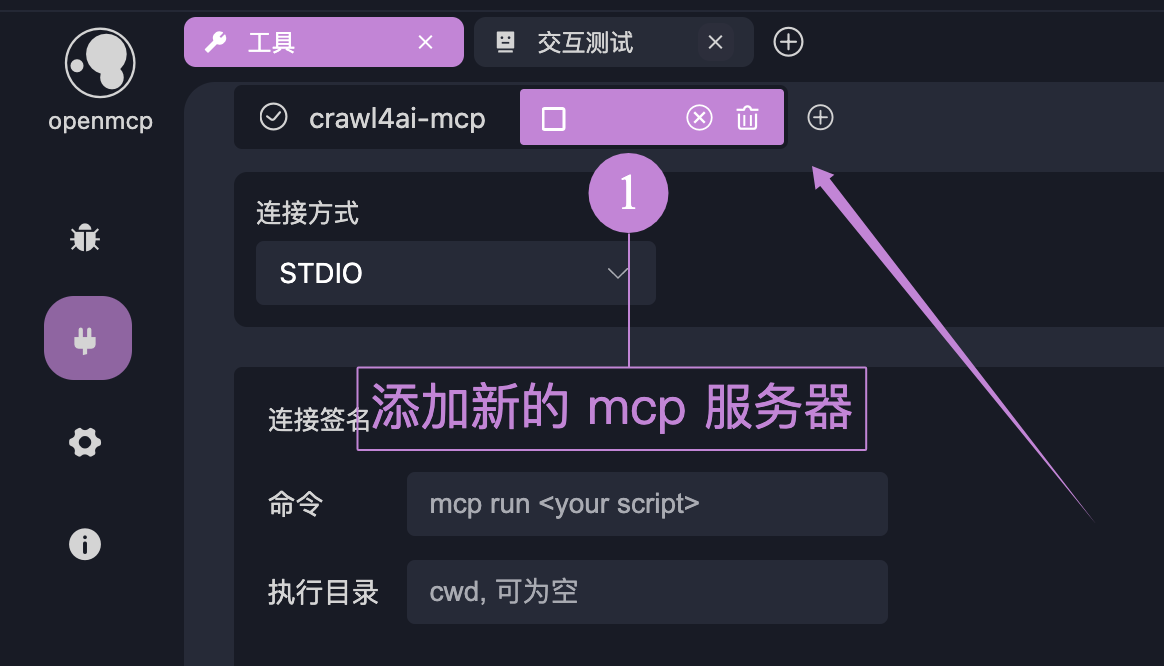
Method 1: Drag and Drop
Simply shift-click and drag the MCP server file into the OpenMCP interface to auto-fill connection parameters:

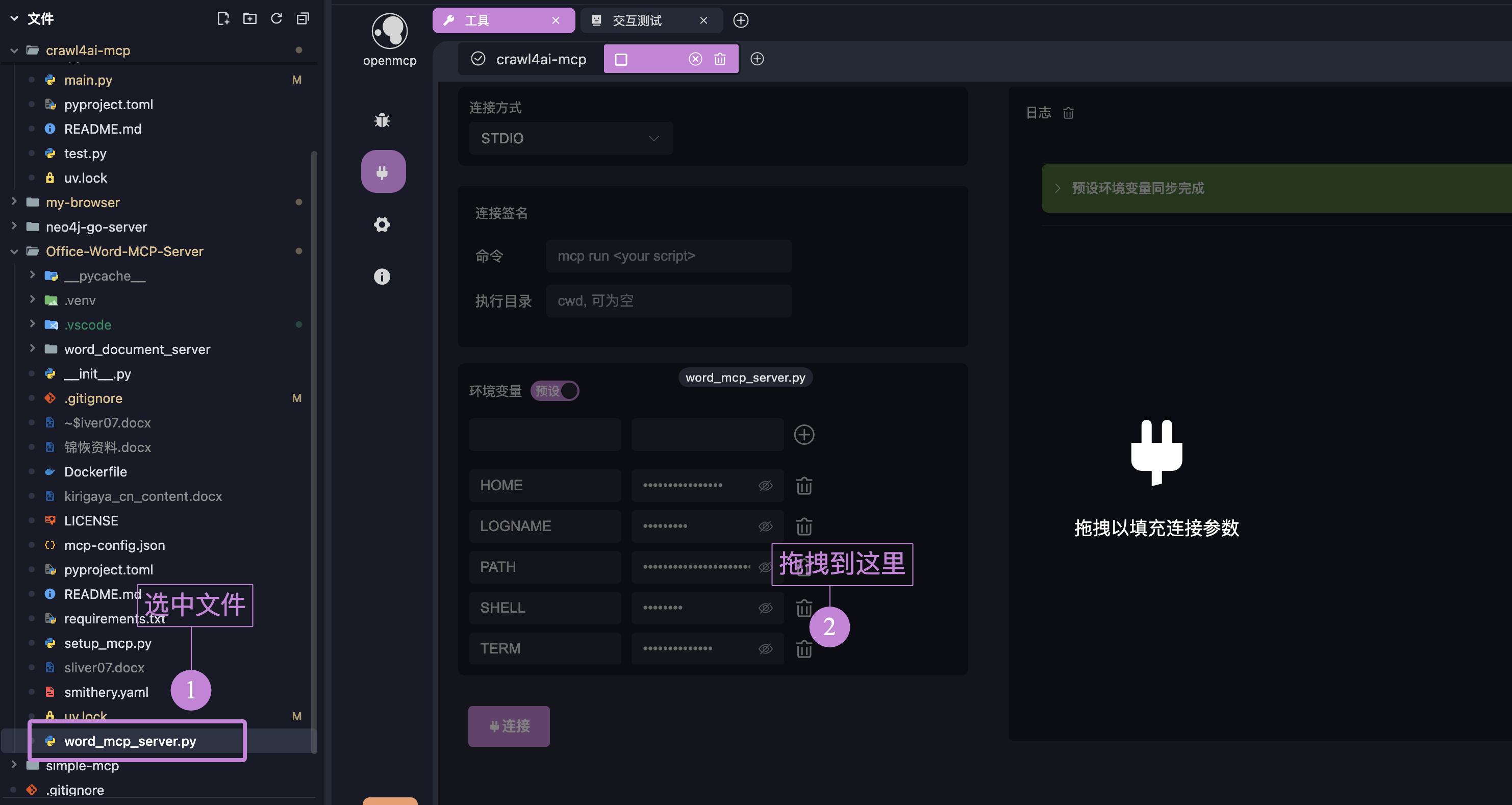
WARNING
Auto-filled commands may not always be accurate. As mentioned in STDIO Connection Setup, please review Appendix: What You Must Know About UV MCP Startup to verify connection methods.
Method 2: Manual Parameter Entry
Manually enter connection parameters (self-explanatory).
Using Multiple Servers
Using multiple servers works similarly to single-server operation - OpenMCP automatically handles tool routing and selection. The key requirement is that tool names must be unique across servers to prevent conflicts.
If you have a use case requiring duplicate tool names, please describe your scenario via GitHub issue. We'll evaluate supporting this based on community discussion.
 LSTM-Kirigaya (锦恢)